Inspect structured data on any webpage.
DevTools makes you grep page source for application/ld+json. SEOMarkup just shows it — every block, parsed, searchable, copyable.
 7
7 The problem
Reading schema in DevTools is a chore.
It works, technically. But the workflow is five steps, three tabs, and zero help when something's malformed.
Without SEOMarkup
5 steps- 01 Open DevTools, switch to Elements
- 02 Cmd-F for application/ld+json
- 03 Copy the raw JSON from inside the <script> tag
- 04 Paste into a JSON formatter to make it readable
- 05 Paste again into Google's Rich Results Test. Repeat for every block.
And if it's malformed, DevTools won't tell you. The page still renders.
With SEOMarkup
1 step- 01 Click the cat. Every JSON-LD block on the page renders as an interactive tree — searchable, copyable, one-click validateable.
Parse errors
Flagged with the broken snippet highlighted
Microdata / RDFa
Detected and labelled, not silently skipped
How it works
Three steps from install to inspection.
Install from Chrome Web Store
One click, no signup. Works on Chrome and any Chromium-based browser.
Open any webpage
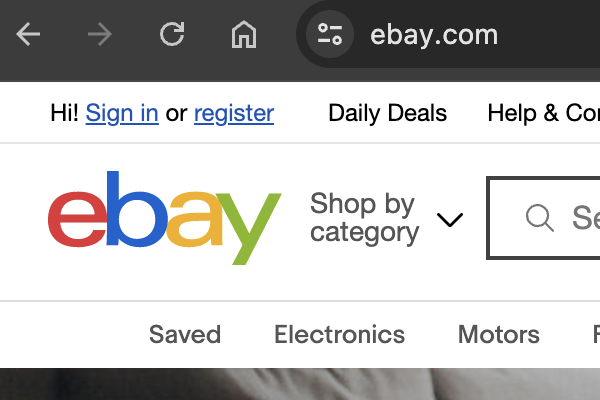
Your site, a competitor's, any URL. SEOMarkup runs on every http(s):// page.
Click the extension icon
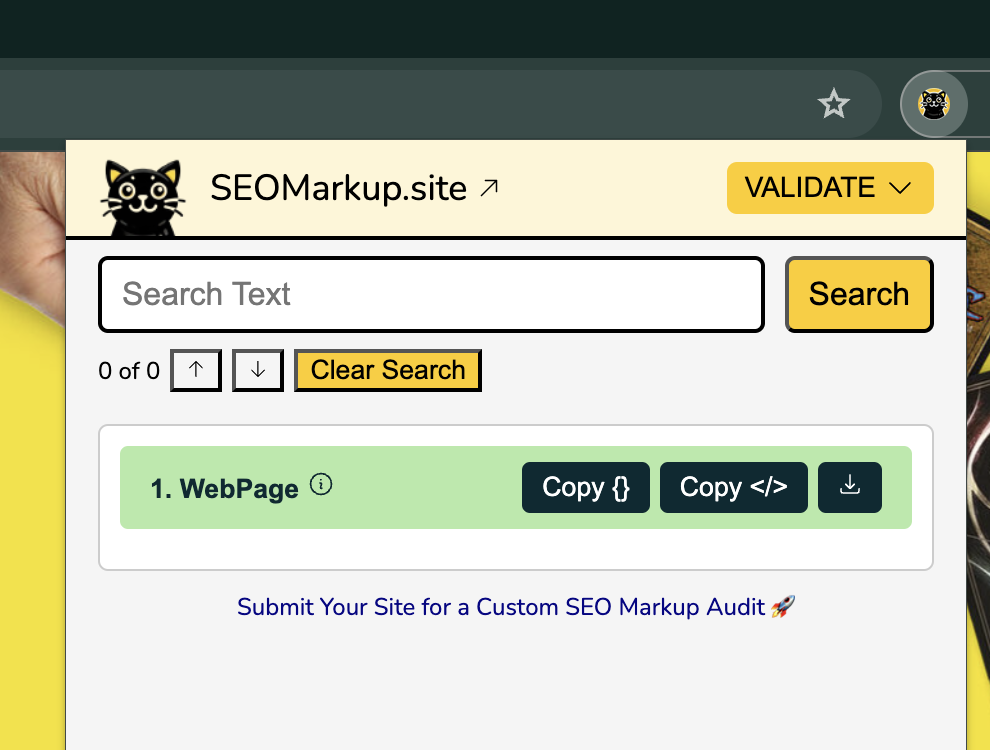
Every JSON-LD block renders instantly as an interactive tree — searchable, copyable, validateable.
Features
Everything in the popup. Nothing in the way.
No tabs, no validators, no source view. SEOMarkup reads the page and renders the structured data — that's it.
Interactive JSON tree
Every schema renders as an expandable tree. Collapse, expand, and drill into nested objects without squinting at raw JSON.
Full-text search
Type a property name, a value, or a URL. Highlights every match across every schema, with prev/next navigation.
Copy, download, validate
Copy as raw JSON or a paste-ready <script> tag. Download as .json. One-click open in Google Rich Results Test.
Parse error banners
Malformed JSON-LD flagged with the broken snippet shown
Microdata + RDFa
Non-JSON-LD formats detected and labelled, not skipped
Schema.org deep links
Click any @type to open its documentation
Zero network calls
Reads the active tab. Nothing leaves your browser.
Schema types
Every @type on Schema.org.
If the page declares it, SEOMarkup reads it. Click any type for its required fields and Google rich-result eligibility.
@type Not sure which types your site should use? Read the Schema.org cheat sheet →
Free tools
Two more tools
Generate JSON-LD from a form. Preview how it'll appear in Google Search. Every field sourced from Google's docs.
Schema Markup Generator
Fill in a form, get valid JSON-LD ready to deploy. Product, FAQ, LocalBusiness, Article.
Open generator
Rich Result Preview
Paste any JSON-LD, see how it might appear in Google Search. Includes eligibility checks.
Open preview
Who uses it
Built for anyone who touches structured data.
Whether you audit client sites or just want to know what your CMS outputs, it fits into how you already work.
SEO Professionals
Audit client sites, reverse-engineer competitor schemas, validate before and after deploys. One tab, one click.
Web Developers
Debug malformed JSON-LD live on the page, verify @graph and nested structures, catch parse errors before they hit production.
E-commerce Managers
See the Product and Offer schemas your competitors declare. Reverse-engineer rich snippet eligibility without a separate tool.
Content Creators
Verify what your CMS actually generates. Catch broken Article or FAQ schemas before Google does.
Comparison
Why not just use DevTools?
Everything DevTools can't do for structured data, SEOMarkup does — for free.
| Feature | SEOMarkup | Chrome DevTools |
|---|---|---|
| Instant JSON-LD display | ✓ | ✗ |
| Search within schemas | ✓ | ✗ |
| Copy as JSON or script tag | ✓ | ✗ |
| Download as .json | ✓ | ✗ |
| One-click validation link | ✓ | ✗ |
| Parse error detection | ✓ | ✗ |
| Microdata / RDFa detection | ✓ | ✗ |
| Schema.org deep-links | ✓ | ✗ |
| Zero tracking | ✓ | ✓ |
| No account required | ✓ | ✓ |
| Price | Free | Free |
FAQ
Common questions.
What is JSON-LD structured data?
How do I see structured data on a website?
Is SEOMarkup completely free?
Does SEOMarkup track what websites I visit?
What's the difference between JSON-LD, Microdata, and RDFa?
Does structured data improve Google rankings?
More on structured data? Browse the resources →
Inspect schema on any page. One click.
Every JSON-LD block on any website, parsed and readable. Free, private, no account.
Add to Chrome — FreeNo account · No tracking · Open source · MIT licence